How to Bypass FRP lock on Samsung Device
Getting locked out of your Samsung device due to a forgotten Google password can be incredibly frustrating. Here's how to bypass the Samsung FRP lock using reliable desktop and recovery options.

Katrin Gray
Updated on Jun 5, 2026
Your Samsung phone or tablet is protected by layers of advanced security, hardware-based encryption, and automated factory safeguards. That's why you face a completely unyielding security checkpoint if you ever perform a factory reset without remembering your synced Google credentials.
Fortunately, there are a few ways to break past this digital barrier and help you bypass Samsung FRP lock. Dedicated desktop utilities like Higospot Android Unlocker offer automated removal tools that directly communicate with your phone's system partitions, which lets you clear out old verification flags, wipe the lockout screen, and restore basic device access. Google also gives your account recovery path to reset the forgotten email account or passwords.
In this guide, we will break down exactly what Samsung FRP is, why it exists, and the various Samsung FRP bypass methods—ranging from official verification to reputable FRP remover tool—that you can use to regain access to your Android smartphone or tablet if you get trapped behind the FRP activation lock.
Table of Contents
What is Samsung FRP lock
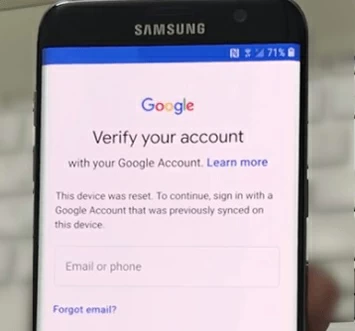
We've all been there: you perform a factory reset on your Samsung Galaxy phone or tablet to clear out bugs or prepare it for a new user, only to be greeted by the "Verify your account" screen. This is Factory Reset Protection (FRP) in action.
While is a built-in security feature introduced by Google starting with Android 5.1 (Lollipop) designed to prevent identity theft and unauthorized access from a lost, stolen, or forcefully reset phone, it becomes a significant hurdle for legitimate owners who have forgotten their passwords or for those who have purchased a second-hand device from a seller who didn't log out.
Why does FRP lock exist on Samsung device
The Factory Reset Protection (FRP) lock exists on Samsung devices for two primary reasons: theft deterrence and enterprise data compliance.
While Android provides the basic framework for FRP across all devices, Samsung implements it far more aggressively by weaving Google's software lock directly into its proprietary hardware-based security systems. On a Samsung Galaxy device, FRP is actively backed by Samsung Knox and hardware components like the Knox Vault.
See also: Forgot Android PIN
Google Account recovery
Using Google Account Recovery is the most legitimate and secure way to clear a Factory Reset Protection (FRP) lock on your Samsung phone. Google knows that there is a chance of forgetting email account or password and being stuck on a "Verifying your account" screen for owner, and gives Google Account Recovery website to handle this problem.
However, a common trap people fall into is attempting to recover the account directly on the locked phone. Because the Setup Wizard limits system functionality, you should recover your Email or password from a completely separate device.
Here's how to recover the credentials to bypass FRP for Samsung device:
Do not attempt these recovery steps using the phone stuck on the FRP screen. Instead, use a laptop, desktop computer, or a working tablet that you have previously used to log into that same Google account. Google's automated security systems heavily track your device signatures and location history to verify your identity.
1. Open a clean web browser window on your computer or mobile device.
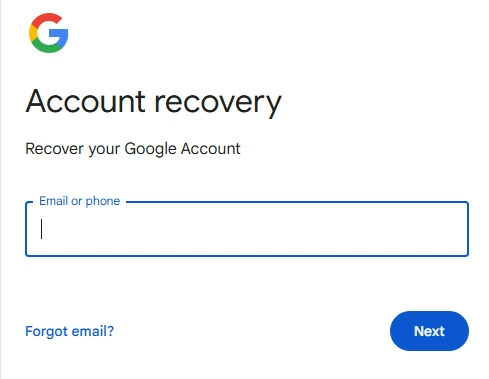
2. Navigate straight to the Account Recover Page.
3. Input the email address or the linked phone number of the locked account.
4. Follow the prompts to answer security challenges. You may opt to receive a 6-digit verification code sent to your linked backup email address or sent via SMS to your recovery phone number.
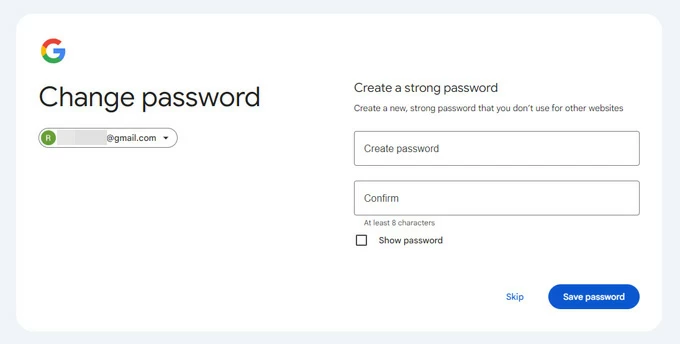
5. Once you input the verification code sent to your recovery channel, Google will grant you access to create a brand-new, secure account password.
6. Confirm the password change and ensure you write it down securely.
7. On "Verify your account," enter your new password to bypass FRP lock and complete the setup process.
See also: How to bypass iPhone passcode
If you're stuck at a FRP lock on the used Samsung phone that you bought from online market or local store, you can reach out the original owner and ask for their permission to bypass the FRP if you have his/her contact information. This is the most ethical and legal way to remove the FRP lock from your Samsung Android phone or tablet.
Android Unlocker app
Using a dedicated Android Unlocker tool is another approach when you cannot recover your Google account credentials or the original owner is unavailable or unwilling to help. Our favorite is Higospot Android Unlocker. It automates the process of detecting the model of your Samsung phone and configuring the necessary environment to wipe the device's FRP lock.
One thing to be noted, bypassing FRP on Samsung device will erase all data on the device, including any personal information that may be stored on it. The software also enables you to unlock Android screen if you forgot PIN, pattern, or password.
Win Download
Prerequisites before Samsung FRP lock bypass
- A computer running Windows 10 or 11.
- A high-quality, original USB data cable
- An active internet connection on your computer.
- Install the Android Unlocker on your PC
Here's step-by-step guide for bypassing FRP lock on a Samsung Galaxy phone or tablet.
Step 1. Initialize the Software
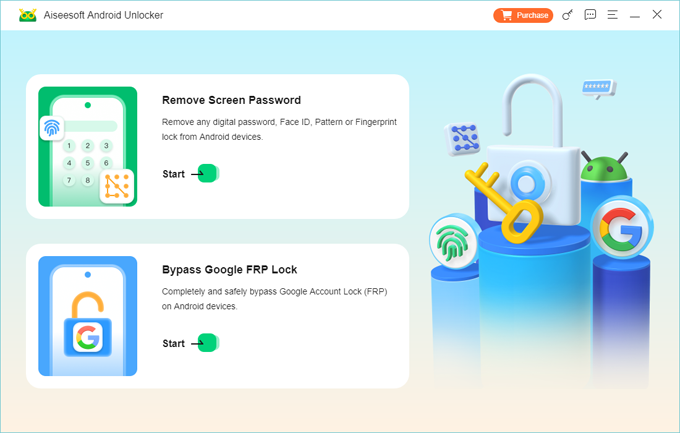
Open the software on your PC. Select the option labeled Remove Google FRP Lock from the main dashboard interface.
See also: Factory reset Google Pixel without password
Step 2. Establish the connection
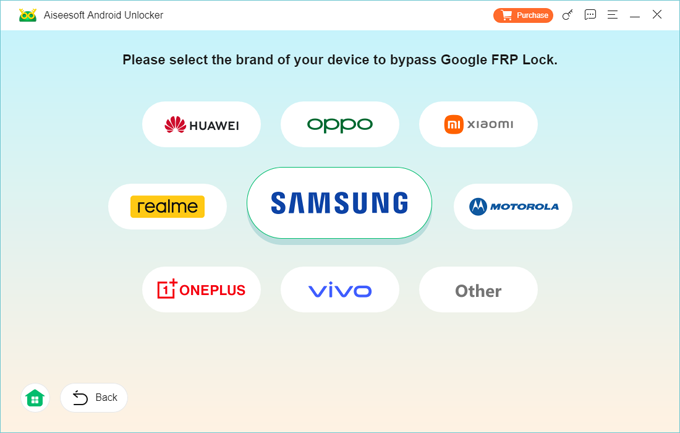
While your Samsung phone is sitting on the initial "Verify Your Account" setup or similar screen, connect it directly to your PC using the USB cable. Then select Samsung brand from the screen of the software.
Step 3. Trigger diagnostic test mode
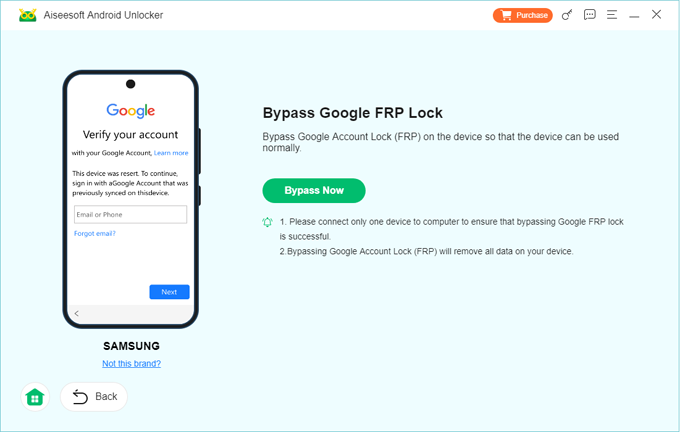
Go ahead and click Bypass Now button.
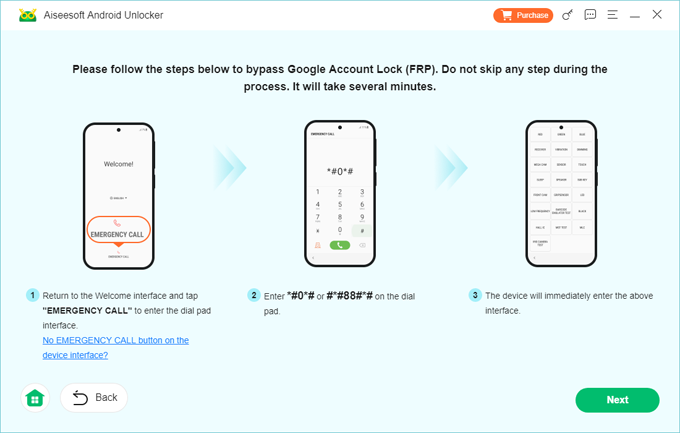
Then follow the steps on the screen to enter diagnostic test mode. On your FRP locked Samsung phone, back out to the very first Welcome / Language Selection screen. Tap the Emergency Call button at the bottom. Use the dialer pad to type exactly *#0*# or #88#*#. This special code forces the phone to jump past the setup layer and display a grid of white hardware test blocks.
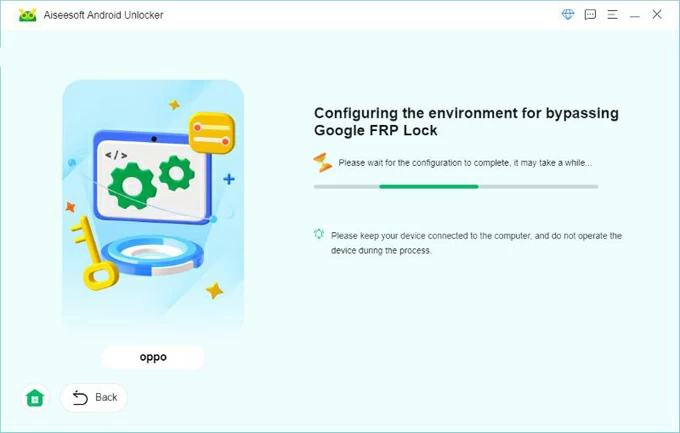
Click Next button and let the software prepare the environment for bypassing Samsung FRP lock.
Step 4. Bypass FRP on Samsung
Wait a few minutes until you see "Successfully bypassed Google Account Lock (FRP)" message appear on the screen.
Once the Samsung phone completes its automatic reboot cycle, it will get past the old Google account FRP check entirely, allowing you to walk cleanly through the setup wizard and register a brand-new profile.
FAQs
- Does performing an FRP bypass on my Samsung phone erase the data?
- Yes. By the time a device is resting on the Factory Reset Protection screen, the user data partition has already been thoroughly wiped by the initial factory reset that triggered the lock. The FRP lock itself does not lock your data; it locks the empty device from being repurposed.
- Can an active Samsung FRP lock be cleared simply by flashing a new official firmware package via Odin?
- No. Stock firmware flashing via tools like Odin does not alter or erase the persistent configuration or Knox partition layers where the FRP status flag is securely written. Even if you do that, the phone will complete the flash successfully but will return to the exact same Google verification step upon boot.
- What is the difference between a Google FRP lock and a Samsung account lock?
- A Google FRP lock is tied to Android's native core security and verifies your identity against Google's server infrastructure. A Samsung Account Lock is tied directly to Samsung's cloud ecosystem.
- Will my Samsung phone get locked again by FRP if installing a software update?
- No. Once an unlocker tool successfully removes the flag and allows you to reach the home screen, the device treats its state as cleanly authorized. You can immediately log into your personal Google account.
- Will using an FRP bypass tool trigger a Samsung Knox security block?
- No, as long as you use a reputable desktop utility. Modern unlocker tools interact with the official, hidden Samsung diagnostic menu (*#0*#) via standard debugging protocols to clear the lock flag.
About Katrin Gray
Katrin Gray is the Junior Editor at HigoSpot. With a bachelor's degree in Computer Applications, he has been covering Microsoft Windows, Apple macOS, iOS, Android, Social Media, Gaming, and more as a professional writer for over 5 years.

 iPhone UnlockerRemove iPhone & iPad lock screen
 iPhone Data TransferTransfer and manage your iPhone & iPad data
 Android UnlockerRemove Google FRP lock and bypass screen locks
 iPhone Data RecoveryRecover deleted files from iPhone, iPad
 Location ChangerFake a GPS location easily
 Video DownloaderDownload videos from 1000+ sites