How to Bypass Google Lock on Motorola Phone (g play, edge, razr, g power, etc.)
Get stuck on Google Lock on your Motorola phone? You can get past the verify screen to proceed with the setup. Here's how to bypass Google lock on a Motorola using your account and third-party tools.

Katrin Gray
Updated on Mar 20, 2026
Let's say you have a Motorola phone (g play, edge, razr, g power, etc.) that was purchased officially. It is now locked with a Google lock because you did a factory reset. You forgot the Google credentials, How can you bypass the Google lock and regain access to the device?
What is Google Lock
Google Lock—also known as Factory Reset Protection (FRP) lock—is a primary Android security feature that turns on automatically with Find My on your Android device, including Motorola. Once active, you must enter your Google username (or phone number) and password to bypass the Google lock to reactivate the device.
The feature is designed to safeguard your data by blocking anyone without the linked iCloud account from signing in. Even your device is lost or stolen, it guarantees that reactivation and usage remain exclusively under the original owner.
But it can also lock out the owner who have forgotten the credentials. We'll show you a few ways to bypass Google Lock on Motorola if you're stranded.
Why does the "Motorola bypass Google lock" problem arise?
There are many of reason why you see a Google Lock after a reset and want to get past it on your Motorola device.
1. You performed a reset but cannot recall the Google account password or recovery options.
2. You bought a second-hand Motorola that's still linked to the previous owner's account.
3. You receive a phone but the original owner is unavailable to remove the account.
4. A reset performed without first removing the Google account triggers FRP.
Ways to bypass Google lock on Motorola phone
Legitimate ways to bypass Motorola Google lock include signing in with the original Google login information or contacting Motorola or your manufacturer and request authorized assistance.
There are also a lot of third-party FRP removal tools available in the market that claims to get Motorola Google lock bypassed. If for whatever reason, the legitimate ways above weren't successful for you, you may consider using a reliable and reputable third-party tool, something like Higospot Android Unlocker. It supports unlocking password, pattern, or PIN that you forgot on a Lock screen, and bypassing Goole FRP lock — all from a single interface.
We strongly advise that you use Google recovery page to reset your password or recover your email if you've forgot — after that, you can enter your correct credentials on your Motorola phone to bypass Google lock and regain control of it.
Use Google account to bypass lock on Motorola
The simplest way to bypass Google lock on Motorola phone is to sign in with the original Google credentials associated with the locked Motorola during setup. If you have trouble remembering the Google username and password, use Google's account recovery flow (password reset, recovery email, or phone number) to regain access to the account. Keeping recovery options current makes this the fastest route.
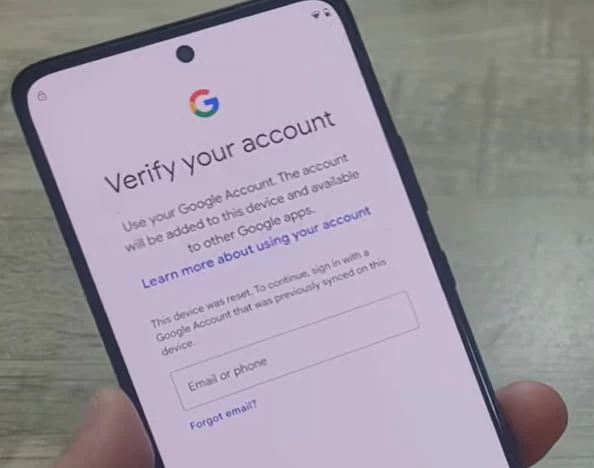
You can tap "Forgot email?" option on your Motorola phone and then follow the prompts to recover your account, or following the tips below:
To reset your Google account password:
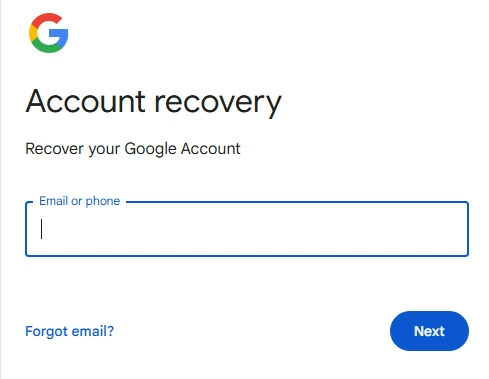
1. Go to the Google Account Recovery page at https://accounts.google.com/signin/recovery.
2. Enter your email address or phone number and click Next.
3. Follow the on-screen instructions to verify your identity. This may involve entering a code sent to your phone, using a recovery email, or answering security questions.
4. Once your identity is confirmed, you'll be prompted to create a new password.
5. Enter a new, strong password and confirm it.
Related: How to Factory Reset Samsung Phone without Password
To recover your Google user name:
1. Go to the Google username recovery page at https://accounts.google.com/signin/v2/usernamerecovery.
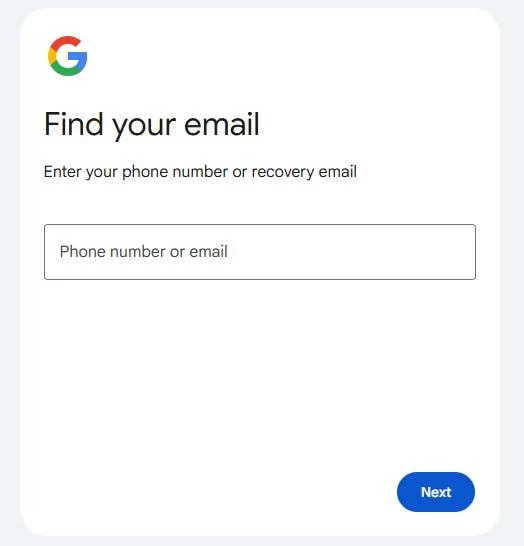
2. Enter the phone number or recovery email address linked to your account.
3. Enter your first and last name, click Next.
4. You'll be prompted to send a verification code to your phone or recovery email address.
5. Enter the verification code you receive via text or email, click Next.
6. You will see a list of usernames that matches your account.
Once you get back your Google ID and password, you're ready to get past Google lock on Motorola.
1. On Verify your account screen, sign in with your email or phone number.
2. Enter your Google password.
It's that simple. After the Google lock is bypassed on the Motorola, you can now proceed with the setup.
Contact the previous owner or seller
If the Motorola phone was purchased second-hand, it may still be linked to the prior owner's account. To bypass a Google lock, you need to request that the seller remove the device from their Google account remotely (via account.google.com > Security > Your devices) or perform the removal in your presence.
Once the device is disassociated, Google FRP lock will no longer block setup.
Related: How to Bypass iPhone Passcode
Use Motorola or carrier support with proof of ownership
If you cannot recover the Google account and the seller is unreachable, you will want to contact Motorola customer support or your carrier. They can advise on authorized procedures and may bypass Google Lock after verifying ownership.
Make sure that you keep the original receipt, box with IMEI/serial number, and any proof of purchase.
Use reputable Google lock bypass tool
Still no luck? It's time to use dedicated Google FRP lock bypass tools. There are a number of those tools you can try, but Higospot Android Unlocker is a well-reviewed option that stands a good chance of success.
It is a desktop software tool designed primarily to help users resolve various lock screen issues on Android devices. It specializes in removing different types of screen locks, including PINs, patterns, passwords, and fingerprints, and has a significant focus on the Google FRP lock bypass without requiring the Google account password.
Win Download
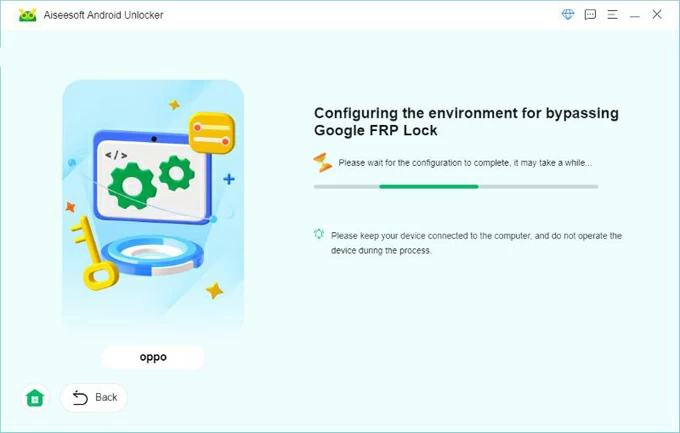
To bypass Google Lock on Motorola, the process typically involves connecting the device to a computer, selecting your device brand, and booting from download mode, and you're good to go.
Here's how to bypass Google lock on Motorola with PC.
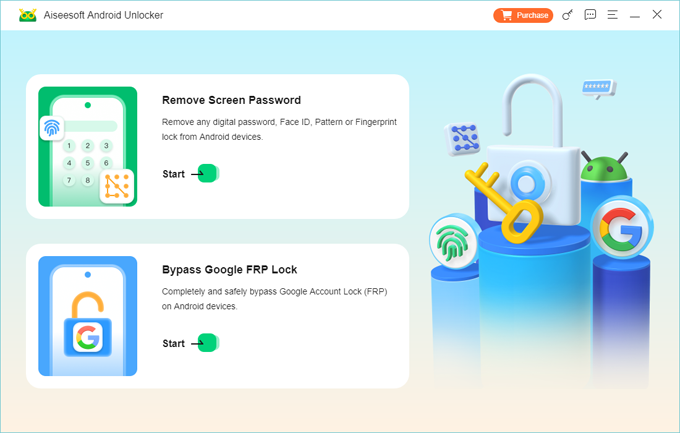
Step 1. Open Android Unlocker on your PC. On the main screen, select the option related to "Remove Google FRP Lock."
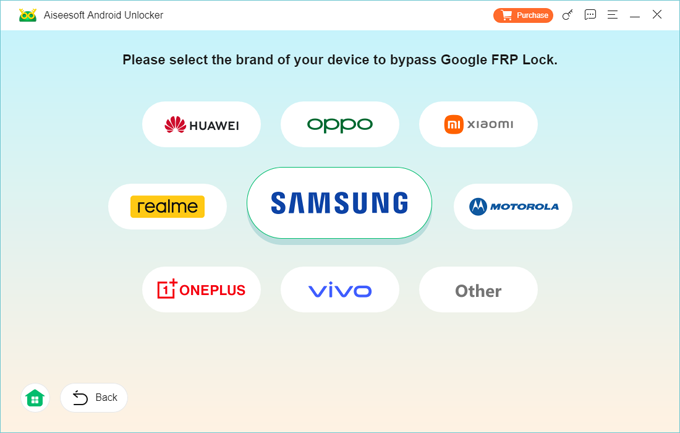
Step 2. Use a working USB cable to connect your Motorola to the computer. The software will then ask you to select the phone brand. Here pick "Motorola" from the list.
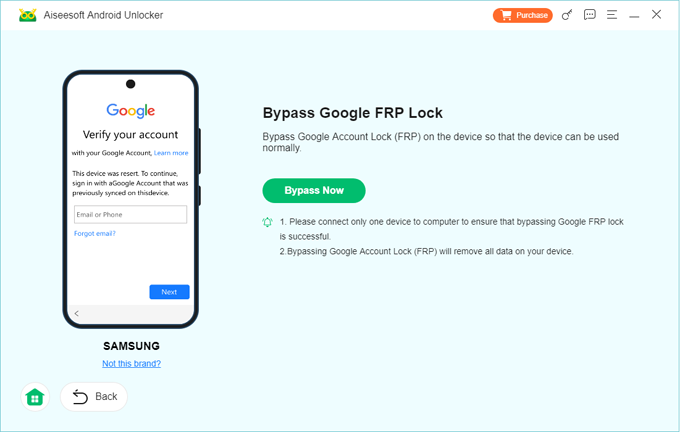
Step 3. Go ahead and click "Bypass Now" on the screen.
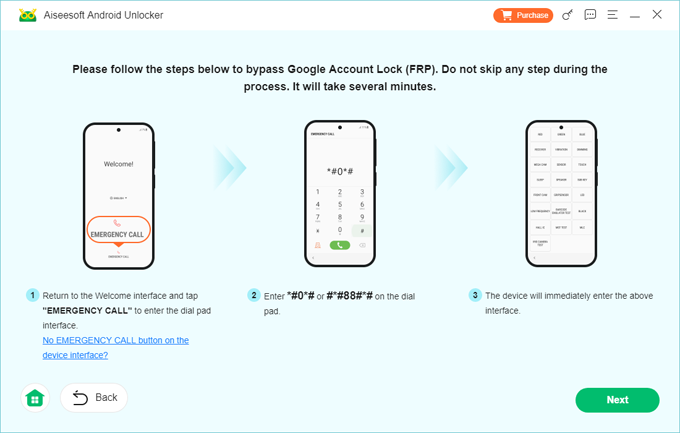
The software will display a series of actions you need to perform on your phone. Follow the onscreen instructions to boot it from a download mode.
Step 4. When you're ready, click "Next" at the bottom right. Let the software bypass Google Lock for you. The process is quick and will be finished in a few minutes.
Once the process is finished, the software on the computer should display a "Successfully bypassed Google Account Lock (FRP)" message. Done!
Higospot Android Unlocker offers a non-technical pathway for users to bypass Google lock for Motorola to regain full access and control over the phone, effectively making it a go-to solution for those locked out by the FRP security measure.
Related: How to Unlock Google Pixel without PIN
How to avoid Google lock in the future
You don't want to encounter Google FRP lockout on your Motorola any more. There are a few useful tips to follow:
1. Always sign out and remove Google accounts from Settings before performing a factory reset on your Motorola. This is the single most effective preventive step.
2. Maintain an up-to-date recovery email and phone number on your Google account so you can reset passwords quickly if needed.
3. When buying second-hand device, ask the seller to perform a factory reset in front of you and complete the initial setup to confirm the device is not google locked.
4. Keep receipts, IMEI/serial numbers, and any warranty documentation. These are essential if you need manufacturer or carrier assistance for Google lock bypass on the Motorola.
5. If devices are issued by an organization, use enterprise device management to track ownership and manage account removal before device transfers.
Conclusion
The challenge of bypassing the Google lock on Motorola devices remains a complex issue. For the legitimate device owner who simply forgot their credentials, the recommended and safest solution is almost always to use the official Google account recovery process or to seek support from Motorola with proof of purchase. If all fails, you may resort to third-party tools like Higospot Android Unlocker to get past the Google lock. It supports removal of different kinds of lock screens.
About Katrin Gray
Katrin Gray is the Junior Editor at HigoSpot. With a bachelor's degree in Computer Applications, he has been covering Microsoft Windows, Apple macOS, iOS, Android, Social Media, Gaming, and more as a professional writer for over 5 years.

 iPhone UnlockerRemove iPhone & iPad lock screen
 iPhone Data TransferTransfer and manage your iPhone & iPad data
 Android UnlockerRemove Google FRP lock and bypass screen locks
 iPhone Data RecoveryRecover deleted files from iPhone, iPad
 Location ChangerFake a GPS location easily
 Video DownloaderDownload videos from 1000+ sites